[NEW] Our Product Recap for Q2 2025 is live.
Learn more


.svg)
EquityList Team
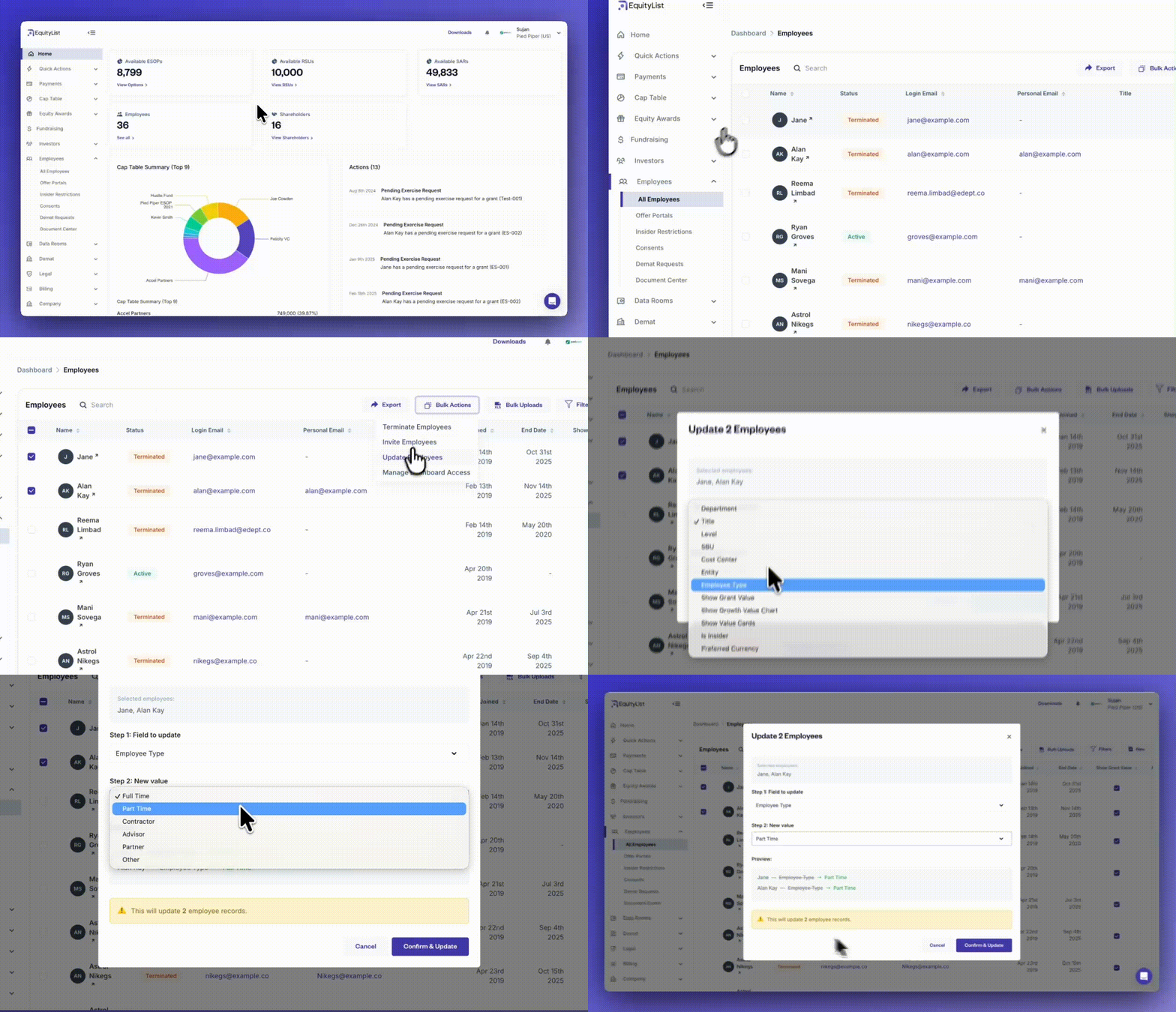
From the left-side menu, under Employees > All Employees, you can now make changes to multiple employee records at once without relying on bulk-upload spreadsheets. Select the employees you want to update, click on ‘Bulk Actions’, and choose the ‘Update Employees’ option.
A modal will let you pick the specific field you want to update and enter the new value. Once confirmed, the platform applies that change to all selected records instantly.
This helps you manage recurring updates without needing external files or manual edits.

.svg)

.svg)