


...
.webp)
EquityList Product Updates
.svg)
EquityList Team
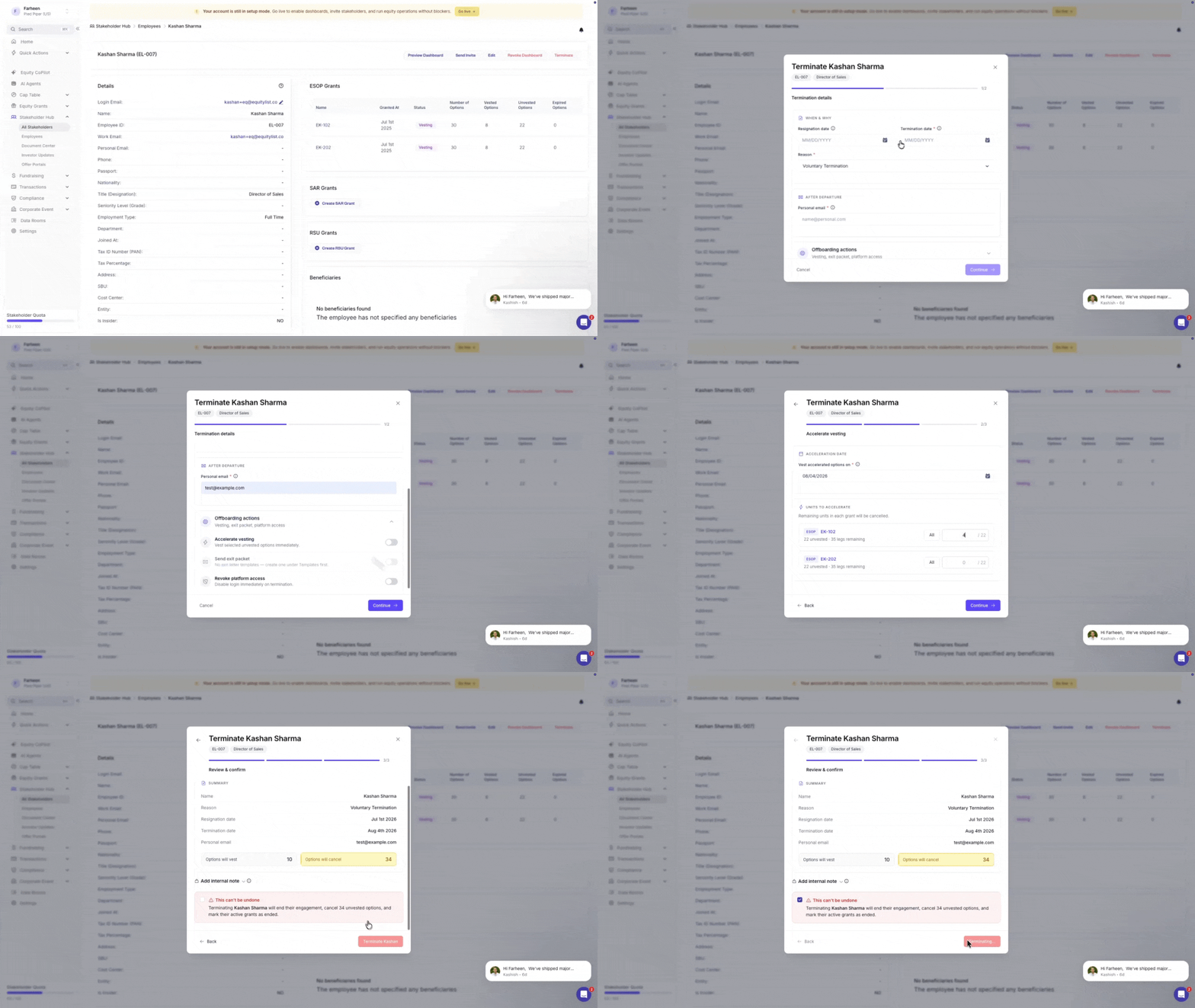
Under Stakeholder Hub > Employees > Terminate, admins can now accelerate vesting on a grant-by-grant basis when terminating an employee, instead of an all-or-nothing toggle.
Enter an exact unit amount per grant, and the system takes it from there — consuming unvested vesting legs earliest-first until that amount is reached, splitting a leg into an accelerated portion and a cancelled remainder if needed. Need to move fast? A "Vest All" button pre-fills every eligible grant with its full unvested balance, and you can log an optional reason for the acceleration right there.
- Eligibility: grants with an unmet cliff, performance-based grants, and fully vested or expired grants are excluded or shown disabled.
- Scope: SAR grants follow the same logic as stock options; RSU grants are not part of this flow.
A final review step summarizes accelerated units and revocation/exit-letter status before the termination is confirmed.

.svg)
EquityList Team
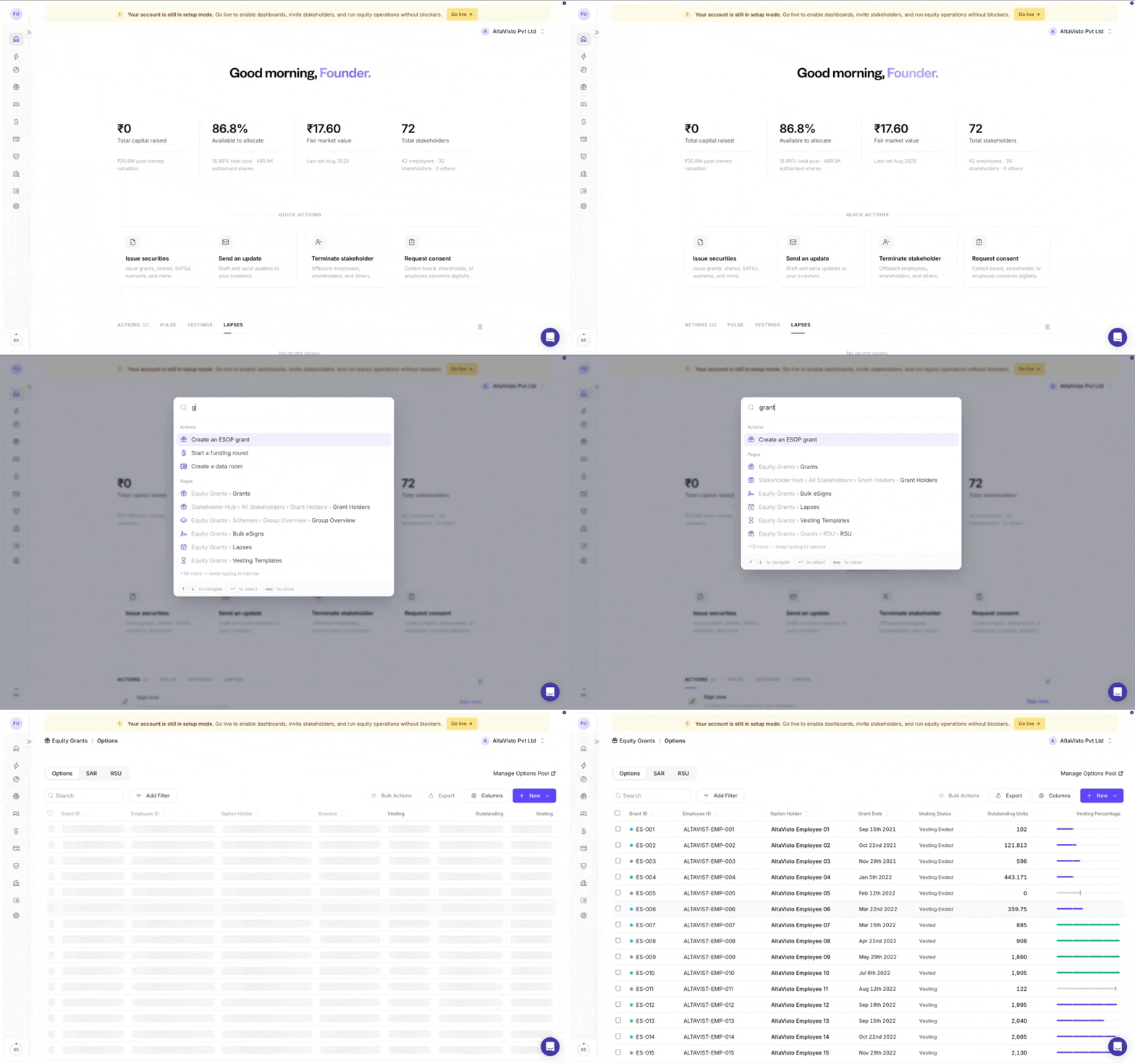
Know where you need to go? You no longer need to navigate through the sidebar to find it.
Press ⌘K on Mac or Ctrl+K on Windows from anywhere in EquityList to open global search. Start typing the name of a page, feature, or action, and jump directly to it in seconds.
Try it now: press ⌘K or Ctrl+K →These are some of the most significant experience updates yet—and an important step towards making equity management faster, clearer, and more intuitive.
EquityList Team

We’ve now reorganized the navigation around how you actually use the platform. Related workflows sit together, sections are easier to scan, and each one expands independently to keep the sidebar focused and uncluttered.
We’ve also introduced a dedicated Compliance section, bringing together the company information, configurations, documents, and legal workflows that require your attention.
From here, you can review and manage:
- Share certificate issuance settings
- Company and statutory information
- Legal documents and records
- Exercise-related configurations
- Other compliance settings and actions
We recommend taking a moment to explore the new Compliance section and ensure your company information and configurations are up to date.
You’ll also find your shareholder, employee and advisor directory under Stakeholders Hub and all your equity instrument types under Cap Table.
EquityList Team

Your new homepage brings the most important information and actions together in one place.
At a glance, you can now see a clearer snapshot of your company’s equity, including the total capital raised, equity available to grant, the latest FMV, and total stakeholder count.
A new Quick Actions section allows you to access frequently used workflows, including issuing securities, sending investor updates, terminating stakeholders, and requesting consents.
You’ll also find a consolidated view of upcoming actions, company activity, vestings, and lapses—helping you stay ahead of what needs attention without navigating through multiple sections.
EquityList Team

Tax ID and Securities Account documents can no longer be downloaded during account approval. They can only be viewed in the in-platform PDF viewer, preventing local downloads during approval.
Why it matters: These documents contain sensitive personal and identity information. Making them view-only during account approval enhances privacy and compliance by preventing the files from being downloaded and stored locally.
Thank you! Your submission has been received!
Oops! Something went wrong while submitting the form.