






Product updates
What’s new on EquityList: new features, improvements, and everything we’ve shipped, newest first.
Get updates by email
We have a new e-signature uploader with better UX. You can now quickly resize your e-signatures with better aspect ratios without worrying about resizing them yourself!
Employees can now easily switch between their desired currency preferences on their dashboards.
While it’s still possible to set a default currency setting for your employees from your company dashboard settings, employees now get the added ease of switching between currencies seamlessly.
Reports with enhancements:
- ESOP Scheme Report
- ESOP Grant Report
- ESOP Grant Vesting Report
- SAR Scheme Report
- SAR Grant Report
- SAR Grant Vesting Report
Additionally, company admins will now receive Grant and Vesting reports directly in their inboxes when they click on export options.
This feature provides an additional layer of security and accuracy to ensure that all grants are reviewed by an authorized signatory before their execution and issuance.
- Company admins can restrict e-signing capability for ESOP/SAR permission levels
- ESOP managers can now queue multiple grants for signatures and send an email notification to authorized signatories to execute the loaded grants
- Signatories simply need to upload their signature and process bulk-grant execution
- Managers can also request authorized signatories to execute one-off grants
This new flow makes it extremely easy for authorized signatories (founders and executives) to execute option grants with an inbox notification.
It’s never been easier to navigate through complex cap tables and view historic versions at a click. You can track all your prior convertible securities, secondaries, and ownership changes.
Note: Funding rounds need to be mapped accurately to share classes and transferred share certificates for you to view the historic version. You can reach out to us in case of any assistance.
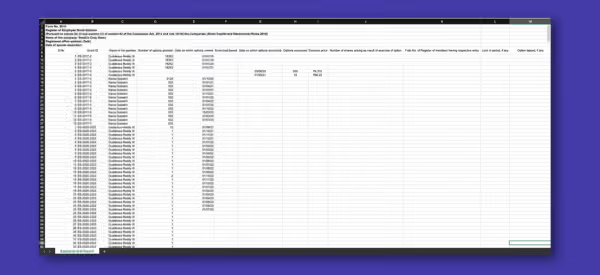
When granting ESOPs to your employees, Indian companies need to maintain a Register of Employee Stock Options. This register contains the details of the employee name (holder), grant ID, number of options granted, date of options vested, exercise period, and more.
Please note: This is a statutory requirement under the Companies Act of India, making it mandatory for these registers to be maintained. Your secretarial team can now easily download the SH-6 report with all the mandatory information pre-filled, sharing hours of reconciliation and coordination!
Startups managing their ESOPs on EquityList can now directly download ESOP Expense Reports following the graded-vesting method.
Equity Grants --> Report --> ESOP Expense Reports
Startups registered in India should comply with Indian Accounting Standard 102 (IndAS 102) to report ESOP expenses as recommended by the Institute of Chartered Accountants of India (ICAI). IndAS 102 establishes uniform accounting principles and practices for all types of share-based payments toward employees and non-employees for Indian companies.
As options/shares are usually granted to employees across a graded vesting schedule, this report needs to account for the cost incurred by the company for each vesting group.
Finance teams end up spending hours collating grant-wise data split across multiple vesting schedules on a quarterly basis. This perpetually recurring activity is highly cumbersome and error-prone when done manually over spreadsheets.
Startups managing ESOPs on EquityList can now easily download month-wise expense reports directly from their dashboard, saving countless hours. These ESOP Expense Reports follow the graded-vesting method and thus make the process much more efficient, leaving no account for errors.
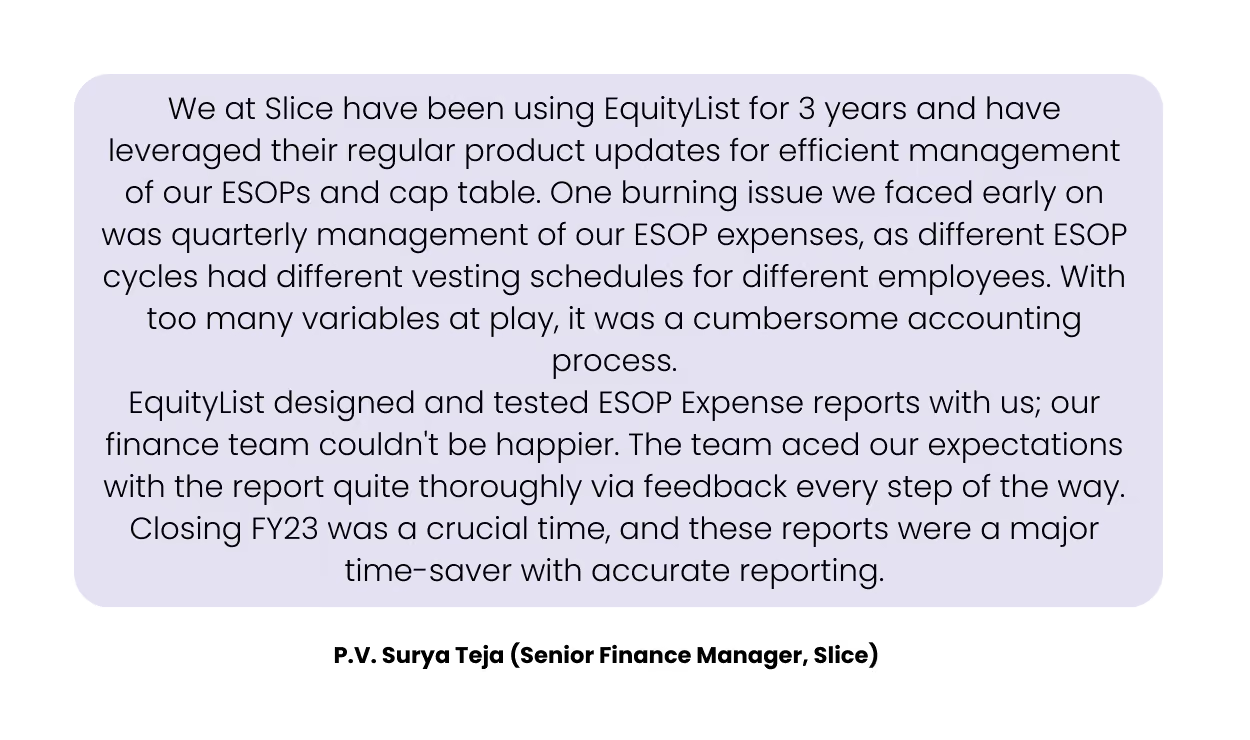
Companies like Slice use these reports for their quarterly filings and save them a bunch of time in reconciling ESOP-related costs for hundreds of grants. Hear it yourself from the slice team:
Startups registered across India, Singapore, and the US can administer and manage their ESOP grants on EquityList. Reach out to us at help@equitylist.co to start your ESOP and cap table management journey.
What's new?
Admins can now select the preferred settlement option for their SAR pool. Choosing ‘share- based' settlement will now impact your fully diluted cap table, whilst cash won’t.
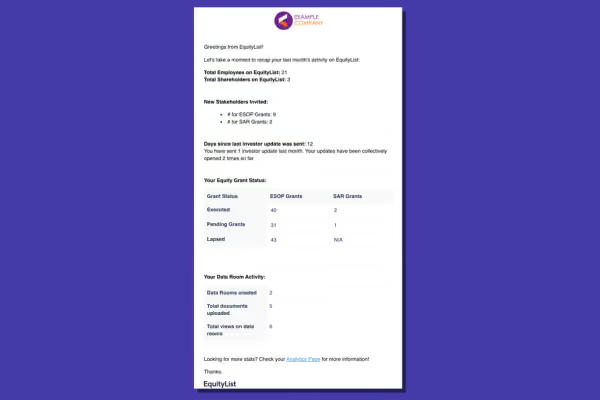
- # of new grants issued and breakdown of their status
- # of new share certificates issued
- Status of pending grant executions
- Data room activity
- Investor update activity
- Track the number of grants executed, pending, or in the draft stage
- Breakdown of reasons for pending grants that require your immediate attention
- Number of employees invited
- Data Room usage and view count
- Investor Updates sent, and more.
We have currently released a beta version and have focussed on Equity Grants, Investor Communication, and Data Rooms for the time being.
We plan to add a lot more insightful graphs and metrics in the coming days to empower your equity management oversight and decision-making.
- You can now use the admin activity log to audit and investigate admin-related events
- View records of actions performed by individual admins across different suites with corresponding time stamps
- Apply admin-wise filter and export as a .csv file

- Clean UI and platform experience, easier to navigate
- Actions Board added to highlight any pending actions from an employee’s end or important company notifications
- Enhancements to data validations when submitting a new Exercise Request
- Revamped ‘Value Calculator’

CCPS is a type of preferred share/stock that gives holders the option to convert their preference shares into a fixed number of equity shares of the issuing company after a specified date.
You can now add up to 6 decimal places for CCPS:Equity ratio when setting up a new share class.
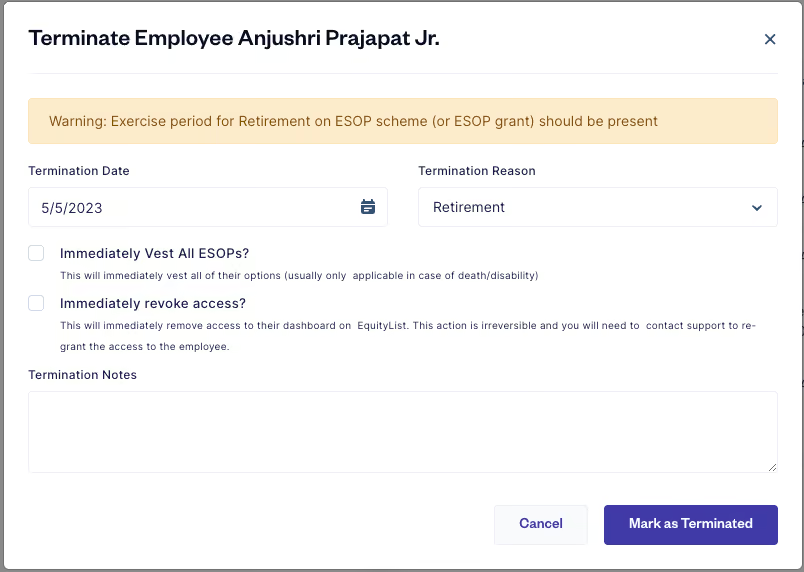
When terminating an employee, the platform will prompt you to add the exercise period if you haven’t set one by default. You can add an Exercise Period on both the scheme level and on a grant-by-grant basis in case of any exceptions.
Admins can now mark grants as lapsed for terminated employees post their expiry without the EquityList team’s assistance!
You can also track upcoming expiry for terminated employees due to time-based or event-based expiries (ie - board approval, not participating in a liquidation event, etc) and lapse the vested units that haven’t been exercised.
- Lapsed units go back into the pool and the active grant gets canceled
- Employees now get an email when marked ‘terminated’, listing all their active grants and their corresponding expiry period
- Upon ‘lapsing’ of units by a company admin, all the admins get notified along with the employee with an intimation of the same
Note: the platform will not automatically lapse units unless approved by an admin.
We released new features to elevate your SAR management experience on EquityList:
- New permission level for a SAR Manager: now invite team members to only manage SAR plans and grants.
- Add units-to-share ratio in your SAR pool: Like other option plans, you can now add units-to-share ratio to increase the number of units in the SAR pool.
- Bulk upload SAR grants: You can now bulk upload multiple SAR grants at once via a CSV sheet
- Grant Letters now mention the role: Many startups are issuing SAR grants to employees, advisors and contractors. SAR grants will now mention the designated role of the recipient
What's new?
- Bulk upload shareholders: save time and instantly upload bulk shareholders in one go!
- Bulk upload of share certificates: bulk upload multiple share certificate information in one go!
Company admins can now easily regenerate vesting for grants in bulk.
No updates match that.
Try a different search or clear the filters.
Get started with EquityList today.
Swift data migration & onboarding within 24 hours.