


...
.webp)
EquityList Product Updates
.svg)
EquityList Team
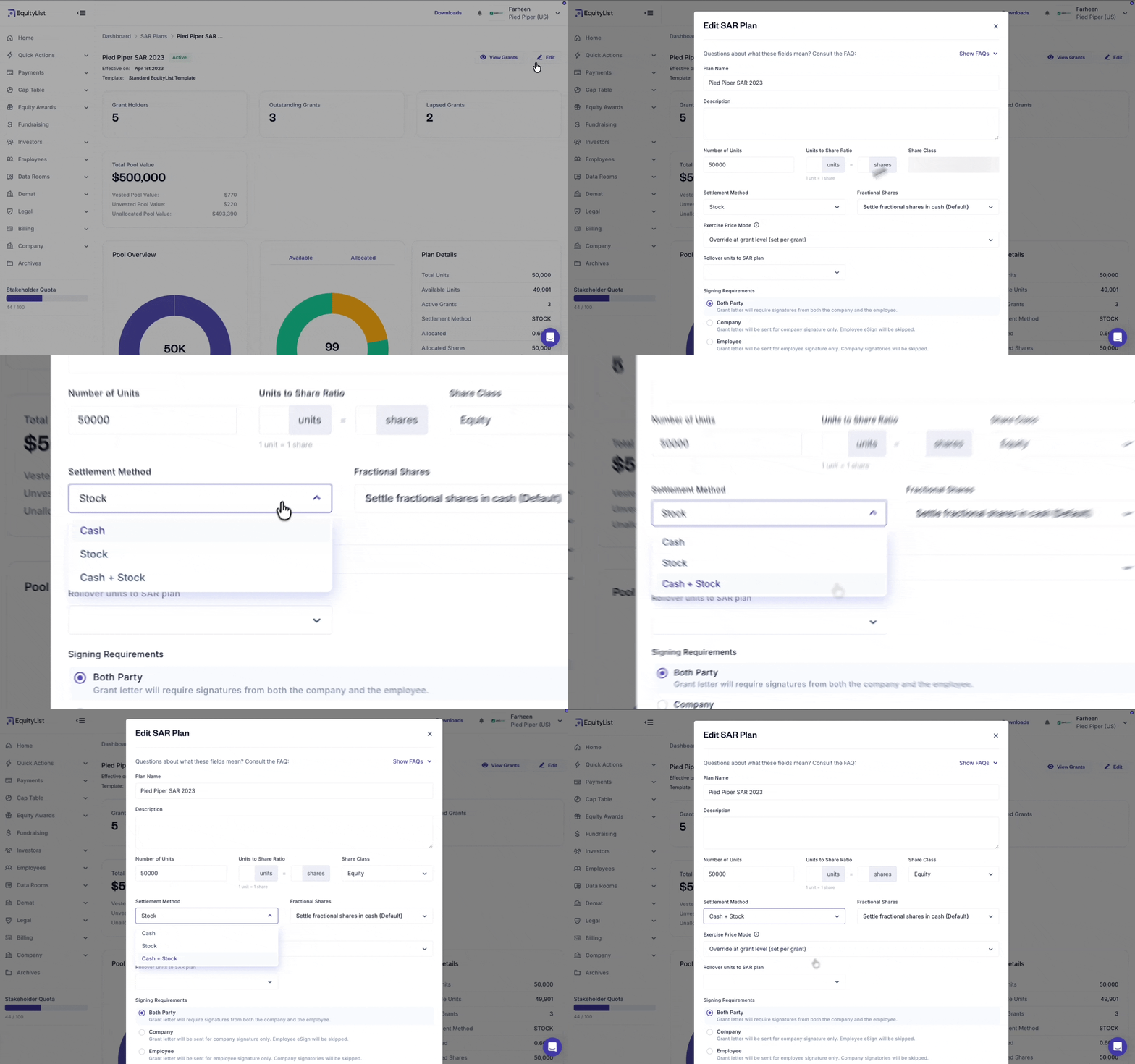
Equity Awards > Pools
When configuring a SAR pool, you can now choose a new ‘Cash + Stock’ settlement method, in addition to the existing Cash and Stock options.
- Cash: No impact on share dilution; settled in cash only
- Stock: Full impact on dilution; settled in shares
- Cash + Stock (new): Full impact on dilution — because the split isn't fixed at setup, the full pool is treated as stock-settled.

.svg)
EquityList Team
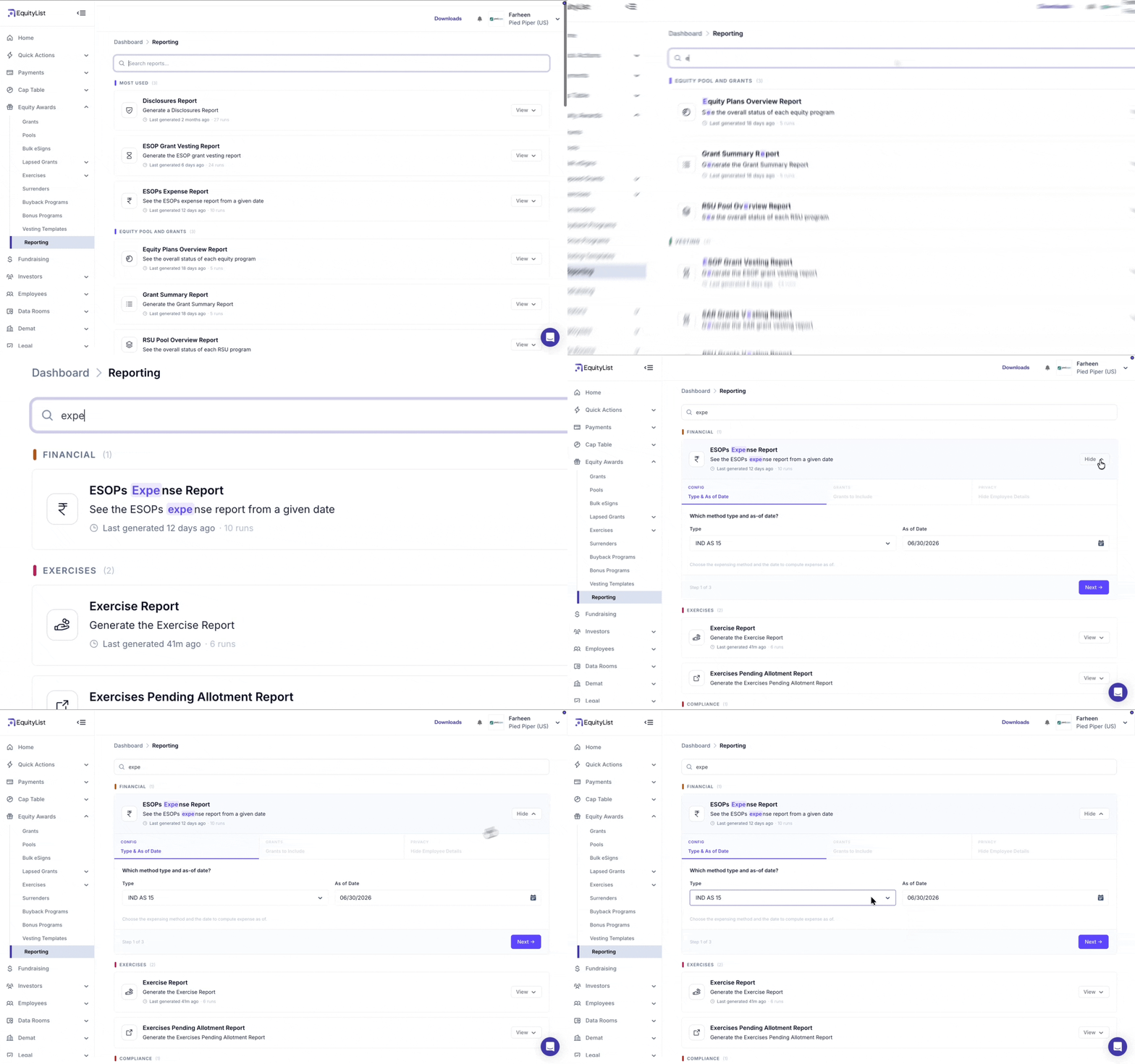
Equity Awards > Reporting
The reporting experience has been redesigned to make reports easier to find. Your most frequently used reports are now surfaced at the top, and improved search lets you narrow down to the exact report you need.
EquityList Team
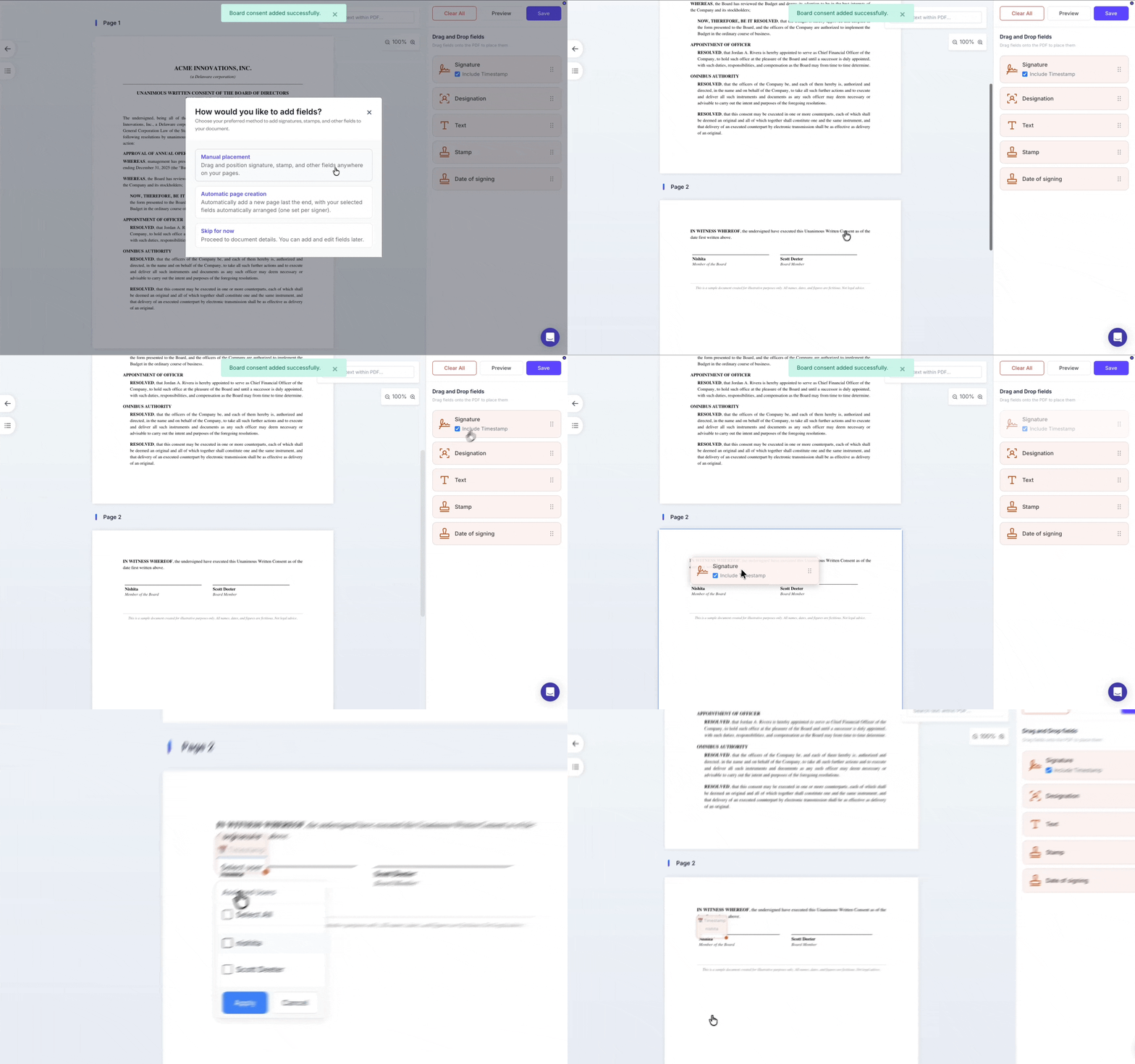
In the PDF editor used for e-signing documents, you can now place fields — such as signature, designation, and stamp — directly onto a document by dragging and dropping them from the UI, rather than inserting template variables as before.
You can add multiple signature blocks anywhere on the page and assign each one to a different signatory — so the layout matches your company's legal document requirements, where different signatories may sign in different places.
EquityList Team
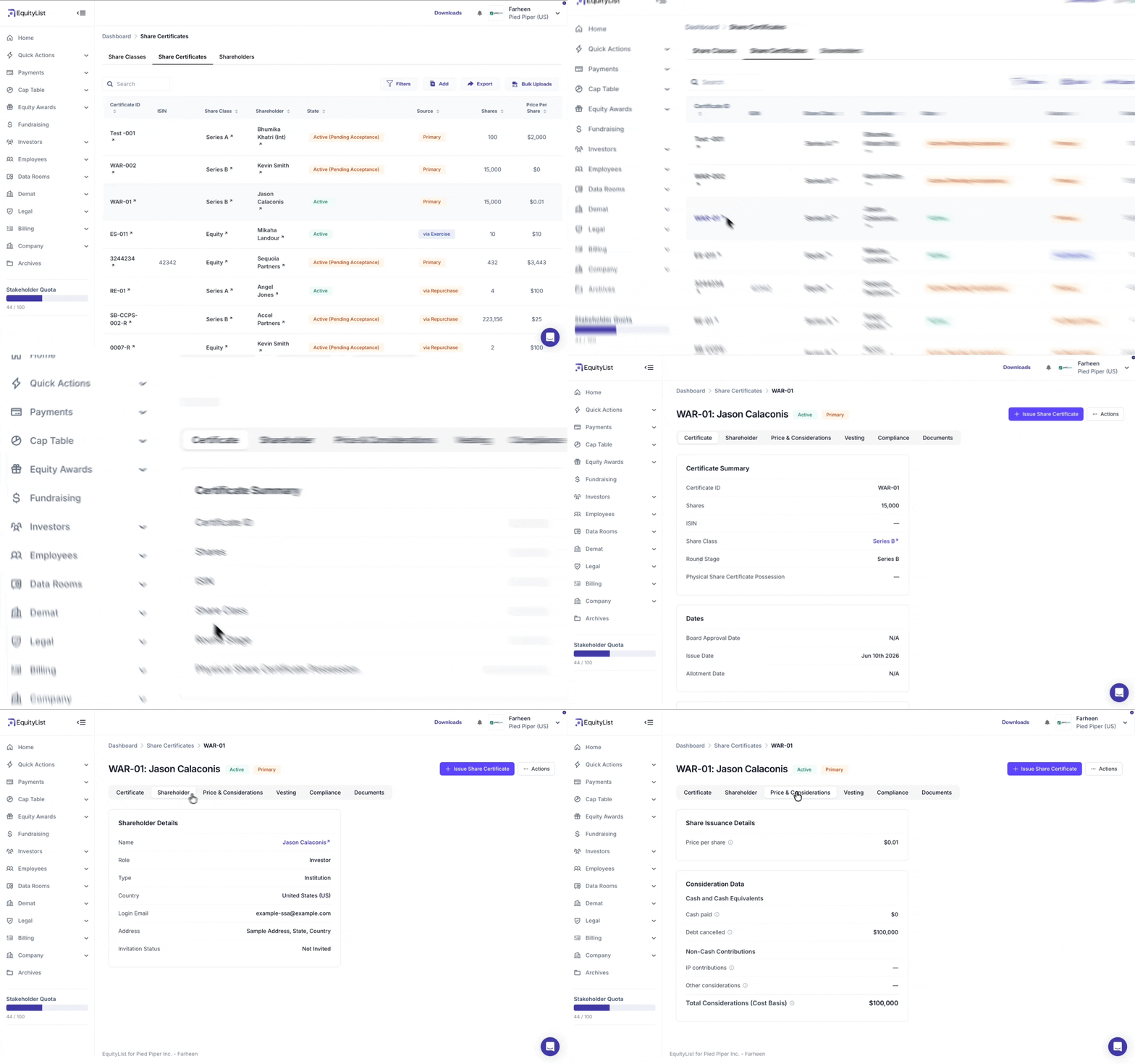
Cap Table > Shares > Share Certificates
The share certificate section has had a full UI overhaul, moving to a cleaner tabbed layout that reduces clutter and improves readability.
Share issuance details (how shares were issued on the cap table) and consideration data (the value exchanged to acquire them, i.e. cost basis) are now clearly separated rather than mixed together.
EquityList Team
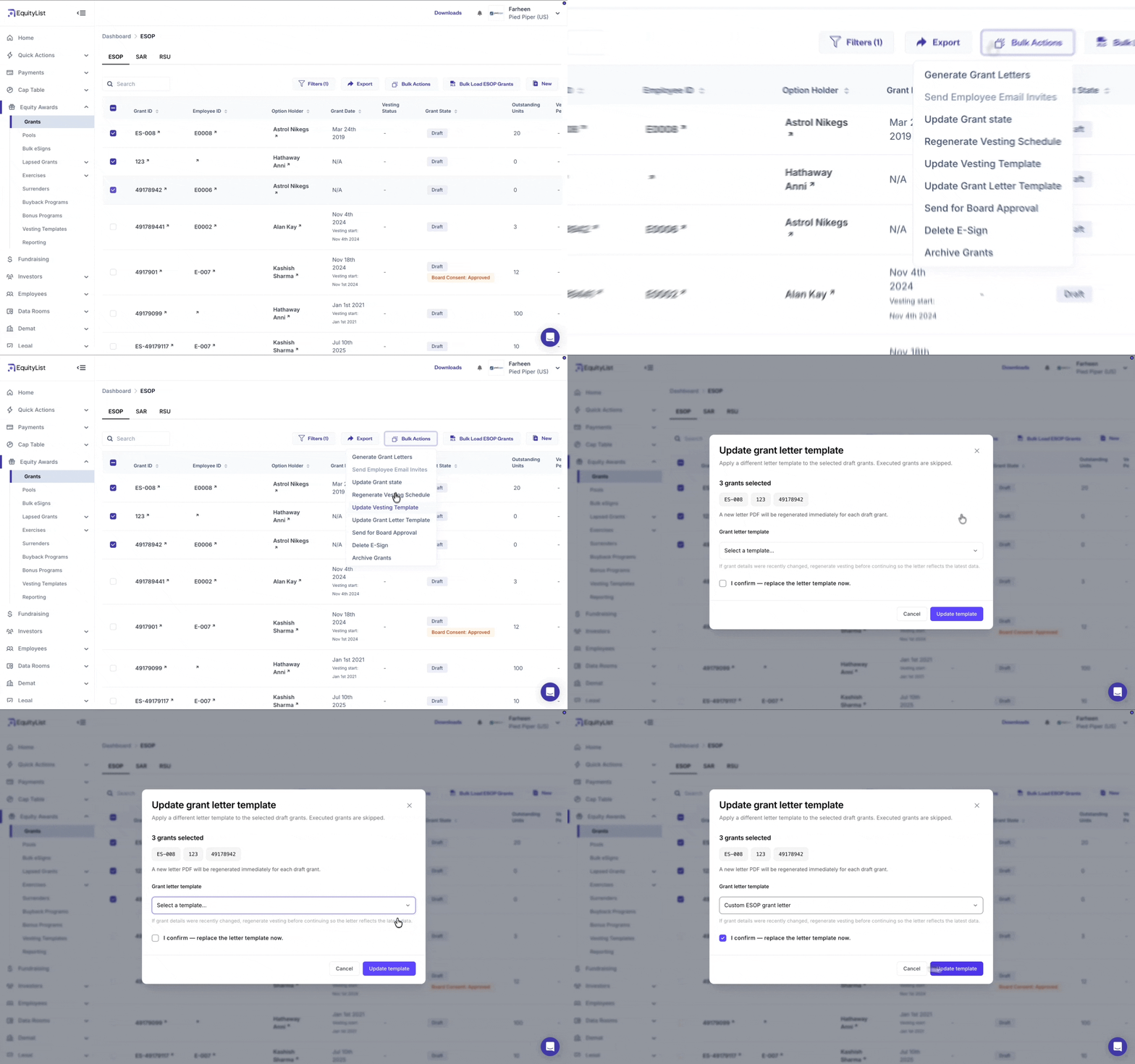
Equity Awards > Grants > Bulk Actions
Admins can now re-map a revised grant letter template to multiple draft grants in a single action — across ESOP, SAR, and RSU. No more editing grants one by one.
How it works:
- Select your grants, then pick a template: Only templates mapped to the selected grants' type are shown.
- Letters regenerate automatically: Draft grant letters are regenerated using the newly selected template.
- Executed grants are protected: If your selection includes executed grants, you'll see a warning and can proceed with draft grants only. If all selected grants are executed, the action is blocked.
- Full tracking: Every change is logged. A completion email and in-app notification confirm the update, including any grants that couldn't be processed.
Thank you! Your submission has been received!
Oops! Something went wrong while submitting the form.